Why build a router?#
Years of IT work left me with a very specific fear: the moment you hit "apply" on a firewall change, the page stops loading, and you realize you just cut off the network you were configuring. Remotely. Sometimes at someone else's office.
So when I started thinking about replacing my home router, I wanted two things that don't usually come together:
- pfSense-level features: real firewall rules, VLANs, multi-WAN, IDS/IPS, VPN, traffic shaping, DNS filtering.
- A UniFi-style UI: clean, live, and obvious, without being tied to someone else's hardware.
And one rule above all: it should be really hard to lock myself out.
That turned into Routely: a router appliance that runs on plain Ubuntu Server 24.04 on any box with two network ports. I built it over about a month. This is a tour of what it does and a few things I learned along the way.
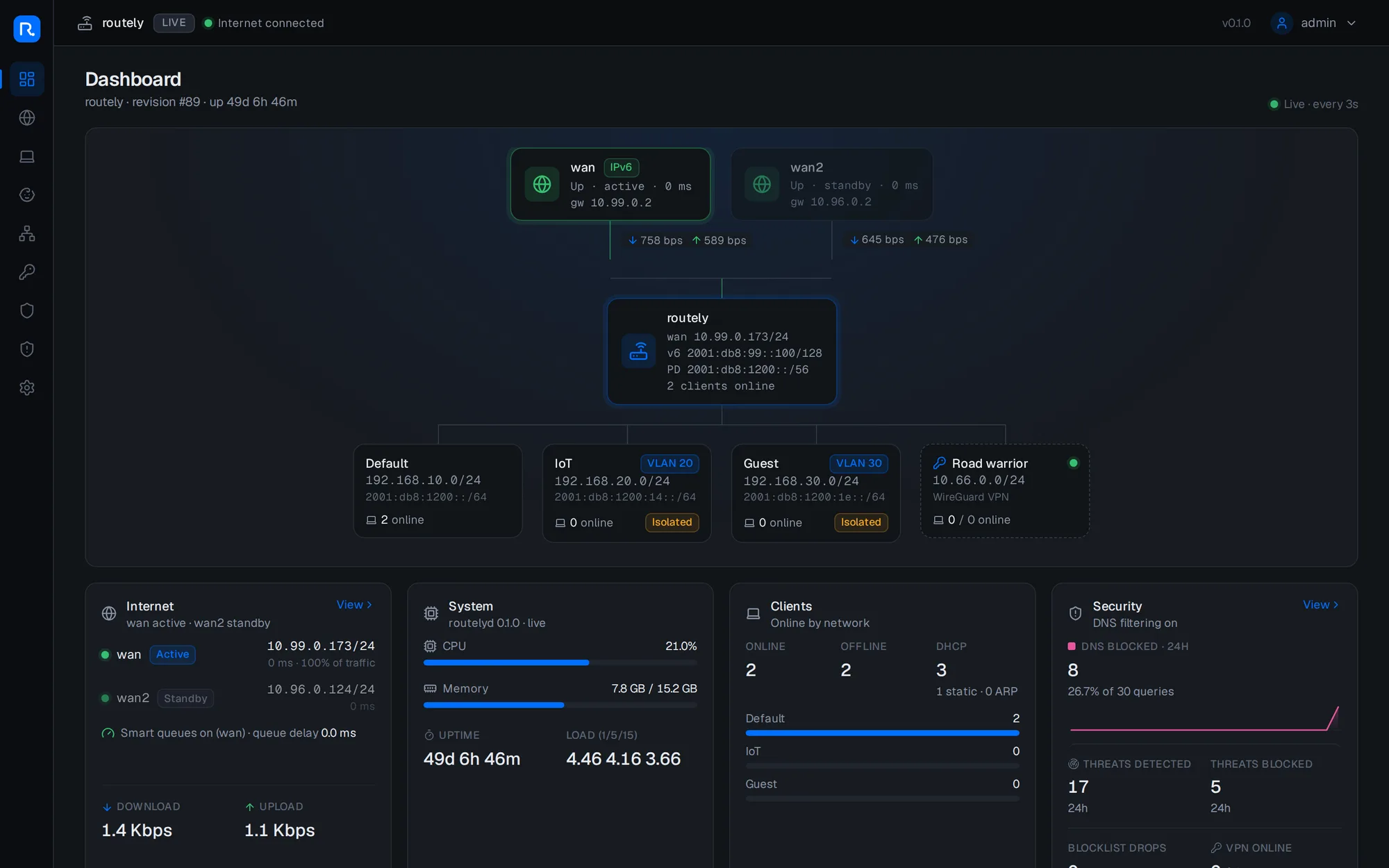
What's in it#
The short version, roughly in the order it was built:
- Networks and VLANs, DHCP with reservations, DNS, and IPv6 (DHCPv6 prefix delegation from the ISP, a /64 per network).
- Firewall and NAT: zone-style rules, port forwards with hairpin NAT, aliases (named groups of hosts, devices or ports), and a live firewall log streamed to the browser.
- Security: Suricata IDS/IPS, IP blocklists and GeoIP blocking, and DNS filtering for ads and malware with per-network exemptions.
- WireGuard VPN, where adding a phone means scanning a QR code.
- Multi-WAN: failover and weighted load balancing, health checks, and policy routes with a kill switch.
- Smart queues (CAKE) so a big download doesn't wreck everyone's latency.
- Parental controls with schedules ("school nights 21:30 to 07:00") and a "pause internet" button.
- UPnP/NAT-PMP, dynamic DNS, an NTP server, Wake-on-LAN.
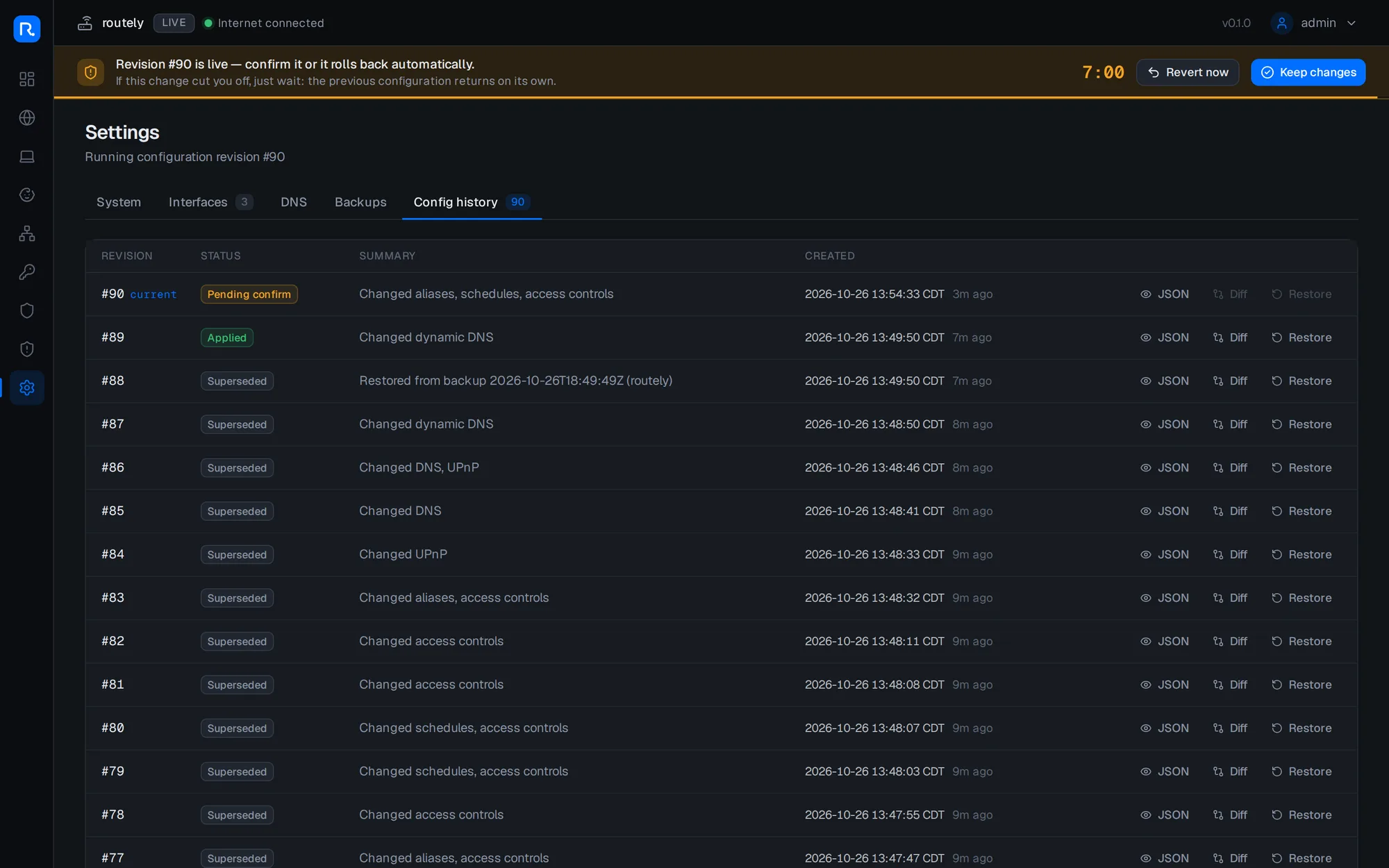
- Backups, a revision history and a one-click revert for every change.
- Zero-touch first boot and a recovery console on the box's own screen.
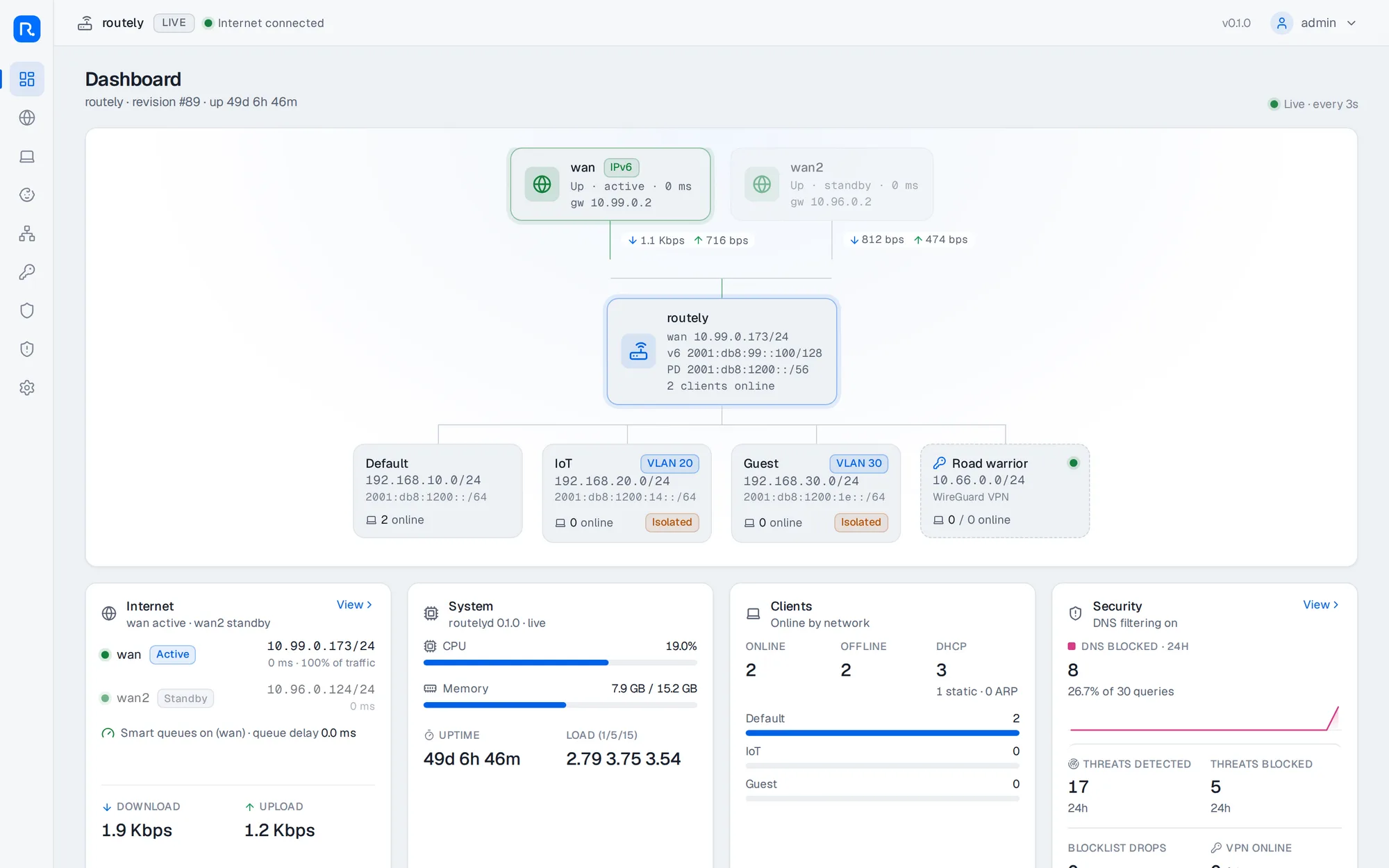
- And yes, a light mode, because someone asked.
It's about 35k lines of Go, 28k lines of TypeScript and 12k lines of tests.
How it's put together#
The design comes down to one decision: the web UI has no privileges. The UI is a Next.js app running as an ordinary user. Everything that touches the kernel happens in a small Go daemon, routelyd, and the two talk only over a local Unix socket. The browser never talks to the daemon directly.
The config is one declarative document. Every change creates a new immutable revision. Rendering is a pure function from config to nftables ruleset, dnsmasq config and so on, which made it easy to golden-test. Applying a revision means one atomic nftables load plus reconciling interfaces and routes over netlink. The daemon supervises every helper process (dnsmasq, dhcpcd, Suricata, chrony, miniupnpd) and owns all the routes itself. For example, dhcpcd runs with nogateway, so it can't fight the multi-WAN logic.
Rule #1: don't lock me out#
Commit-confirm#
This is the feature I'm proudest of, and the one the whole design is built around. Every change applies live, then rolls itself back unless you confirm it within 60 seconds. If the change killed your connection, you don't have to do anything: wait a minute and the old config comes back on its own.

(The default window is 60 seconds; I stretched it for the screenshot.)
Try it here. One change is fine and one cuts you off:
The real thing lives in the daemon, not the browser, so closing the tab, losing Wi-Fi or rebooting your laptop doesn't matter. The timer keeps running on the router.
More safety nets#
- Impact preview. Before applying, the daemon checks whether the change would cut off the device you're using right now: which network you're on, whether a rule blocks the UI, whether the LAN subnet is moving. If it would, it tells you, and where the UI will be afterwards.
- Last-known-good boot. If the router reboots into a config that never got confirmed, it boots the last good one instead. If even that fails, it falls back to a minimal safe mode.
- A console on the box itself. Plug in a monitor and tty1 shows a menu: status, revert the last change, re-run detection, reset the admin password, and the big red button, give the network back to Ubuntu.
- An installer that can undo itself. Installing hands the network ports from Ubuntu's netplan over to Routely. If the router isn't healthy within 3 minutes, the installer hands them back.
uninstall.shrestores the machine exactly as it was, including which services were enabled before.
Zero-touch first boot#
The other thing I cared about: plug it in and it should just work, with customizing coming later. On first boot Routely probes every port at once for DHCP, PPPoE and IPv6 router advertisements, runs a real internet check on each, and picks the WAN on its own. It then chooses a LAN subnet that doesn't conflict with anything upstream, binds each role to the port's MAC address (so a kernel renaming eth0 can't swap WAN and LAN), and starts serving DHCP.
In the test lab that takes about 17 seconds from start to clients being online. Then the setup page shows what it did and why:
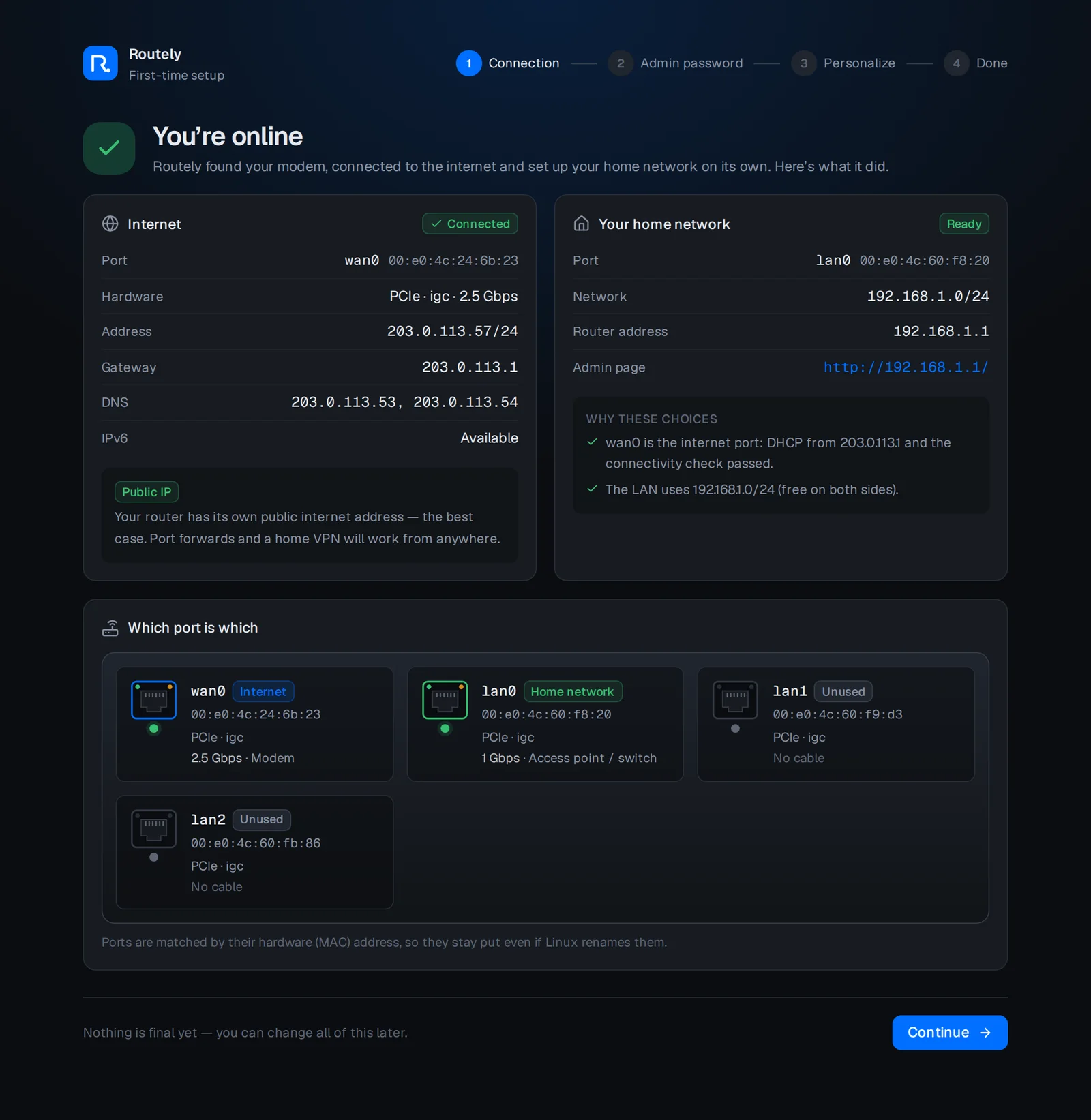
It also notices the awkward cases and says so in plain language: double NAT behind an ISP router, CGNAT, a second DHCP server on the LAN (the classic "the AP is still in router mode"), or a NIC that's hanging. My target box has Intel e1000e NICs, which have a well-known habit of hanging under load, so there's a mitigation for that too.
A quick tour#
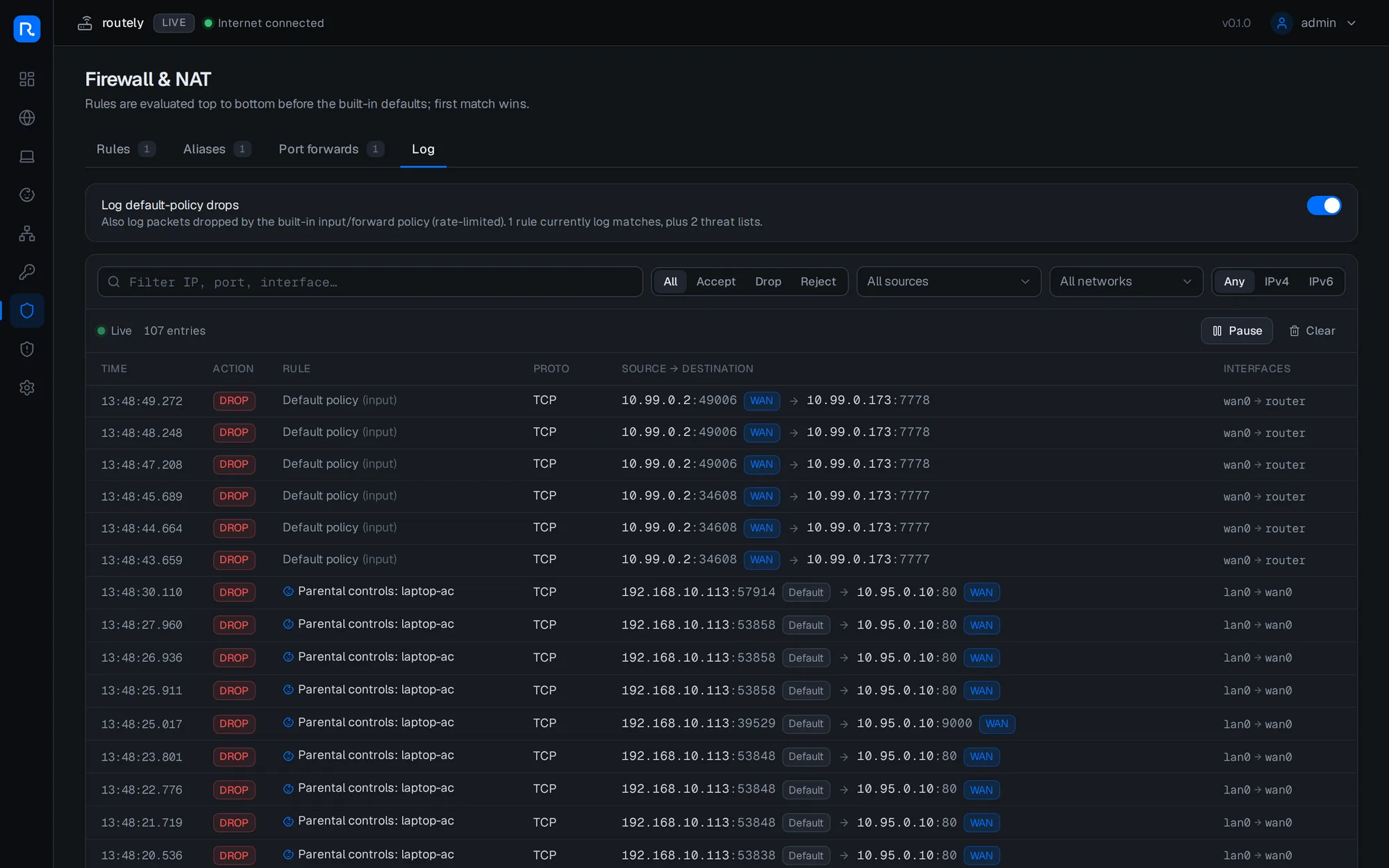
The firewall log streams live from the kernel (NFLOG → the daemon → server-sent events), and every entry says which rule matched: a firewall rule, the default policy, a blocklist, GeoIP, or a parental control.
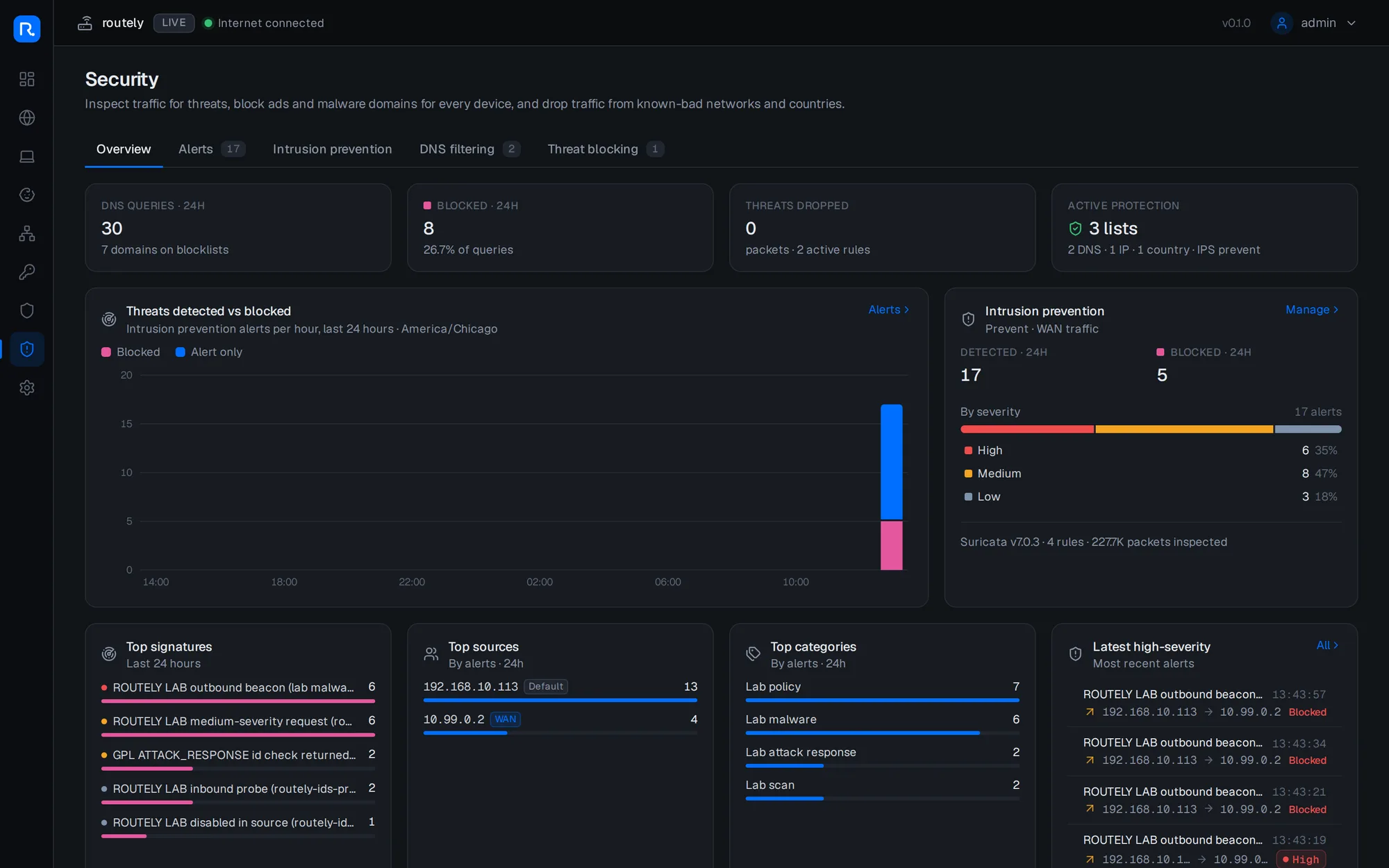
Security combines Suricata alerts, DNS filtering and threat lists in one place. Suricata sits after the firewall (so it only inspects traffic the firewall already allowed), and it fails open: if Suricata crashes or restarts, traffic keeps flowing uninspected rather than the internet going down. By default it only blocks real threats. "Policy violation" signatures, which flag things like VPN apps and remote-access tools, raise alerts but don't block, so legitimate apps keep working.
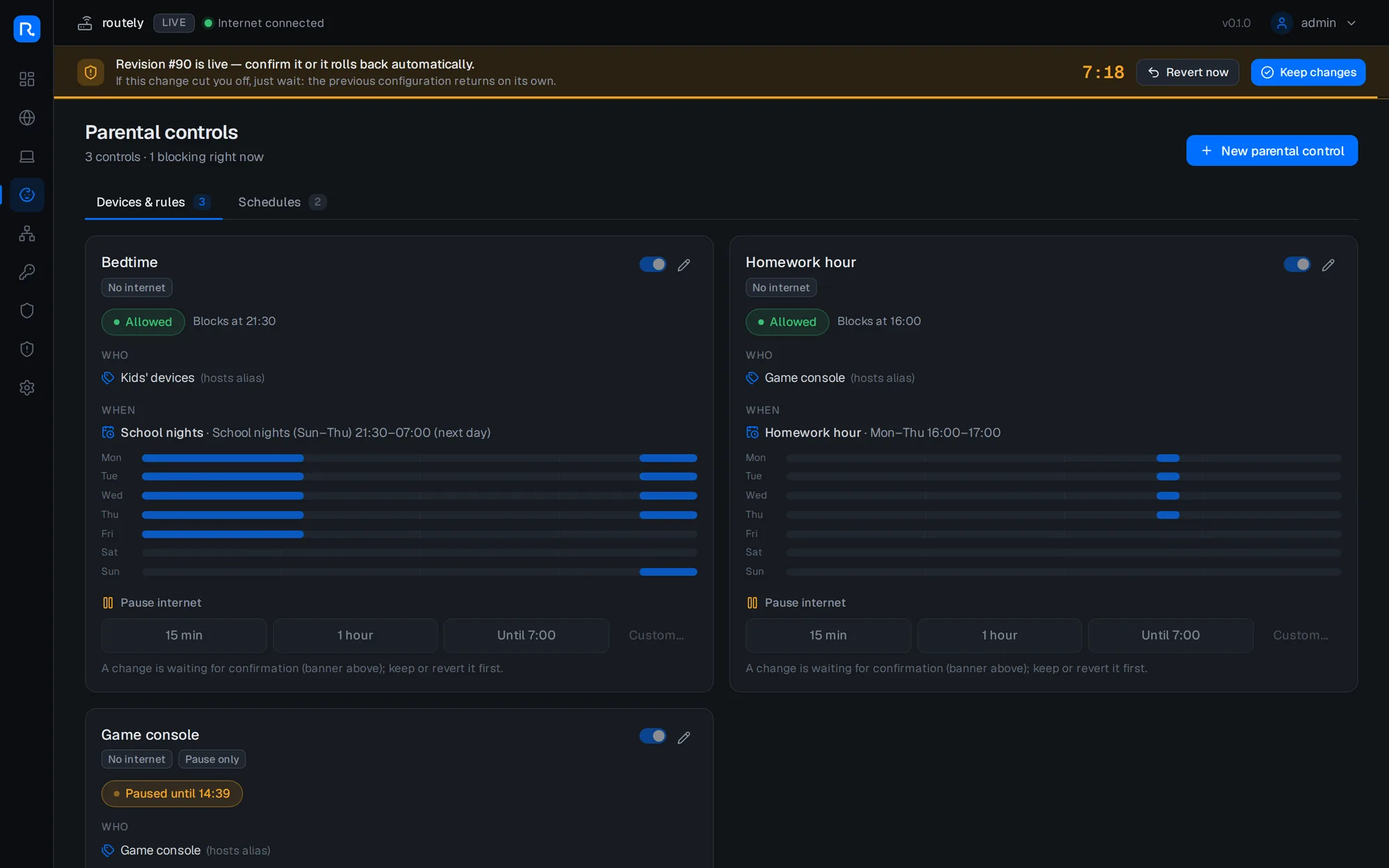
Parental controls are built on schedules and aliases. "Bedtime" blocks the kids' devices on school nights, and a pause button cuts the game console off for 15 minutes, an hour, or until morning. Pausing also drops existing connections, so a download already in progress doesn't keep going.
And because every change is a revision, there's a complete history with diffs and one-click restore:
Plus the light mode:
Bufferbloat, fixed#
My favorite number from the project. The lab has a fake ISP line shaped to 50/10 Mbps with an oversized buffer, like a lot of real cable modems. Here's the ping time while saturating the download, before and after turning on smart queues (CAKE on the WAN, plus an IFB device to shape inbound traffic):
There are also traffic classes: DSCP marks get saved into conntrack on the way out and restored on replies with act_ctinfo, so a video call stays smooth while Steam downloads in the background.
Testing a router without breaking my network#
The cheat code for this whole project was a Docker network lab. The lab is a full fake world:
- two fake ISPs, one with IPv6 prefix delegation and one with a bufferbloated line;
- clients on VLANs, plus an "attacker" and hosts that GeoIP places in other countries;
- a road-warrior WireGuard client, a fake dynamic-DNS provider and an NTP source.
The real routelyd runs inside it in live mode, with real nftables, real dnsmasq and real Suricata. Every phase ended with a smoke test that's now at 553 checks: clients get DHCP, the guest network can't reach the LAN, the IPS drops the fake malware beacon, unplugging the primary ISP fails over, and so on.
There's a separate lab for first boot (11 scenarios: plain DHCP, PPPoE, CGNAT, cables in the "wrong" ports, a modem that boots late, a rogue DHCP server and more), plus an installer test that runs the real installer inside a systemd Ubuntu container, including its rollback, its watchdog and uninstall.
Things that bit us#
- nftables time matching has a split personality.
meta hour "21:30"is converted using the timezone of whatever loaded the ruleset, butmeta dayis evaluated in UTC. A schedule crossing midnight would be off by a day for part of the year. The fix: render schedules as UTC numbers and re-render when daylight saving time changes. - Ubuntu mounts
/runnoexec, so the dhcpcd hook script couldn't live there. When we moved it, one code path kept the old location and the WAN never learned its gateway. 74 lab checks failed at once, which is precisely why the lab exists. - GSO makes packet counters lie. With segmentation offload, the kernel can hand Suricata more packets than the firewall rule counted, so a "bypassed packets" stat computed from the difference went haywire. It's now measured only over periods when Suricata was actually down.
- Installing chrony uninstalls systemd-timesyncd (they both provide
time-daemon). The uninstaller would have left the machine with no time sync, so it now restores whichever one was there before. - A timestamp in a comment made the rendered ruleset different every time, which made tests flaky and caused pointless reloads. Never put
now()in generated config. - Next.js 16's dev server blocks requests from origins it doesn't recognize. Opening the UI by LAN IP rendered fine, but no button did anything until we listed the machine's own addresses in
allowedDevOrigins.
What's next#
So far all of this has run only in the lab, not on real hardware. Next up:
- Staging: install it on a two-port Dell OptiPlex behind my current router (double NAT, a separate test subnet), so nothing at home depends on it. Let it soak for a while.
- Cutover: move my current router's settings over (same LAN subnet, reservations, port forwards), turn the old NETGEAR into a plain access point, swap cables, and confirm within the countdown. The rollback plan is "swap the cables back".
After that: HTTPS for the UI, automatic updates with rollback, scheduled off-box backups, 2FA, notifications, and eventually Unbound, Tailscale integration and high availability.
I'll post again once it's actually routing my house. Hopefully without a "so I killed the network" section.